
Key takeaways
- How to choose a WiFi router for a home office: match WiFi 6 bands, coverage, and wired ports to your rooms, with five current Amazon router picks.
A home office runs on its connection. Video calls, shared drives, cloud backups, and someone streaming in the next room all pull on the same router, and a poor fit shows up as frozen faces, muddy audio, and uploads that crawl. Picking one is mostly about matching the box to your home: its layout, the plan you already have, and how much desk gear can plug in with a cable.
The five routers below are current Amazon listings from TP-Link, NETGEAR, and ASUS: four single dual-band WiFi 6 routers for compact and mid-size homes, and one mesh system for larger floor plans. Read the choosing notes first, then match each pick to your rooms.
As an Amazon Associate, we earn from qualifying purchases.
Quick answer
For most home offices, a dual-band WiFi 6 router placed near the desk is enough: the TP-Link Archer AX55 covers the middle ground, the ASUS RT-AX86U Pro adds a 2.5G port and more headroom, and the TP-Link Deco X55 mesh suits larger homes where one box cannot reach every room.
How to choose
Begin with your floor plan. A single router placed well can cover a small flat or a compact house. As rooms spread out, and as floors, brick, and concrete sit between the router and your desk, the signal fades. If your office sits rooms away from the modem, either move the router closer or choose mesh, which adds a unit near the desk.
Read the standard and the bands. Every pick here uses WiFi 6, written on listings as 802.11ax, and every one is dual band. The 2.4 GHz band reaches farther and passes walls more easily, while the 5 GHz band carries higher speeds over shorter distances. The AX number in a model name adds the top figures of both bands together, so treat it as a guide to class rather than a promise. Your internet plan sets the ceiling for any router.
Count the wired ports. One WAN port links the router to your modem. The LAN ports serve desk gear that benefits from a steady wired link: a PC, a docking station, a printer, or a network drive. Four gigabit LAN ports is the common pattern here. A 2.5G port, on the ASUS pick, matters only with a plan above gigabit or wired gear that can use it.
Place the router with care. Put it out in the open, raised off the floor, and as central as the modem line allows. Keep it away from thick masonry, large metal objects, and the charger tangle behind a desk.
TP-Link Archer AX21

The Archer AX21 is the entry pick for a compact home office. Its listing describes a dual-band WiFi 6 router in the AX1800 class: up to 1200 Mbps on 5 GHz and up to 574 Mbps on 2.4 GHz, in the listing’s own terms. That is plenty for one worker whose day is calls, documents, and cloud drives.
Gigabit Ethernet ports let you wire the desk PC directly, keeping calls steady when the home is busy. The listing also notes Easy Mesh support, so a compatible extender can join later if a far room turns out weak, plus OFDMA and parental controls. Choose the AX21 for a small flat or compact house on a standard cable or fibre plan.
Specs:
– WiFi standard: WiFi 6 (802.11ax), as listed
– Bands: Dual band, 2.4 GHz and 5 GHz
– Listed speed class: AX1800, up to 1200 Mbps on 5 GHz and up to 574 Mbps on 2.4 GHz
– Ports: Gigabit Ethernet ports, as listed
– Mesh support: Easy Mesh compatible, as listed
– Extra features listed: OFDMA, parental controls, works with Alexa
TP-Link Archer AX55
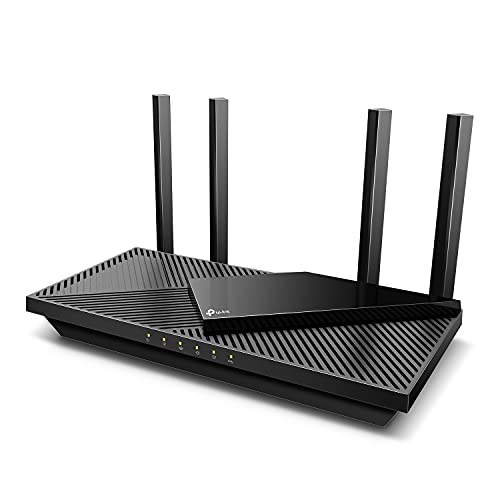
The Archer AX55 is the step up for a busier home office. It is a dual-band WiFi 6 router in the AX3000 class, and its listing gives up to 2402 Mbps on the 5 GHz band and up to 574 Mbps on the 2.4 GHz band. That extra 5 GHz room suits video calls while large files move to cloud storage, or two people working online at once.
The listing highlights a USB 3.0 port for sharing a drive on the local network. HomeShield is listed for network security features, and VPN client and server support covers reaching the home network while travelling. OFDMA and MU-MIMO are both listed, and EasyMesh compatibility means a matching extender can widen coverage later. Choose the AX55 for a two-worker home with regular uploads.
Specs:
– WiFi standard: WiFi 6 (802.11ax), as listed
– Bands: Dual band, 2.4 GHz and 5 GHz
– Listed speed class: AX3000, up to 2402 Mbps on 5 GHz and up to 574 Mbps on 2.4 GHz
– Ports: Gigabit Ethernet ports and 1 USB 3.0 port, as listed
– Mesh support: EasyMesh compatible, as listed
– Extra features listed: OFDMA, MU-MIMO, HomeShield, VPN client and server support
NETGEAR Nighthawk RAX43

The Nighthawk RAX43 suits a mid-size house where the office shares the network with a full family load. It is a 5-stream dual-band WiFi 6 router in the AX4200 class, and the listing states speed up to 4.2 Gbps, coverage up to 2,500 sq. ft., and support for up to 25 devices, in its own terms. Treat the coverage figure as a best-case guide, since walls and floors always trim real reach.
Five gigabit Ethernet ports (one WAN, four LAN) give the desk wired options for a PC, a printer, and a network drive at once, and a USB 3.0 port is listed for sharing storage. Choose the RAX43 if your home is larger than a small flat and your device count keeps growing.
Specs:
– WiFi standard: WiFi 6 (802.11ax), as listed
– Bands: Dual band, 2.4 GHz and 5 GHz
– Listed speed class: AX4200, up to 4.2 Gbps
– Coverage as listed: Up to 2,500 sq. ft. and up to 25 devices
– Ports: 5 Gigabit Ethernet ports (1 WAN and 4 LAN) and 1 USB 3.0 port, as listed
– Extra features listed: 5-stream design, works with Alexa and Google Assistant
ASUS RT-AX86U Pro
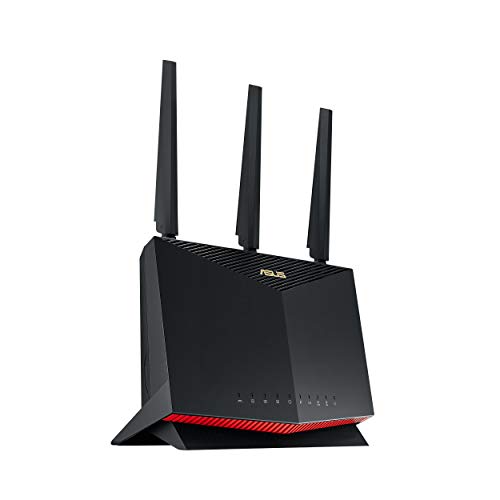
The RT-AX86U Pro is the headroom pick for a demanding home office. It is a dual-band WiFi 6 router in the AX5700 class, and the listing describes speeds up to 5700 Mbps across its two bands. The standout detail for office use is the 2.5G port, a wired link faster than gigabit to a capable network drive or a plan above gigabit.
ASUS lists AiMesh compatibility, so it can later anchor or join an ASUS mesh setup if the office moves to a far room. VPN support and subscription-free network security are also listed, suiting a worker who handles sensitive files. It is sold as a gaming router, but the office value is simpler: more wireless capacity, a faster wired path, and room to grow. Choose it if your plan is fast or your calls cannot compete at busy hours.
Specs:
– WiFi standard: WiFi 6 (802.11ax), as listed
– Bands: Dual band, 2.4 GHz and 5 GHz
– Listed speed class: AX5700, up to 5700 Mbps
– Ports: 2.5G port and Gigabit LAN ports, as listed
– Mesh support: AiMesh compatible, as listed
– Extra features listed: VPN support, subscription-free network security, gaming port
TP-Link Deco X55 (2-Pack)

The Deco X55 is the pick when one router cannot cover the home, the most common reason a home office connection disappoints. This two-unit mesh system works as one network under one name, and devices move between units as you walk from room to room. The listing states coverage up to 4,500 sq. ft. for the 2-pack, in its own terms, and describes the system as replacing a router and extender setup.
Each unit carries WiFi 6 in the AX3000 class and offers 3 gigabit ports, so the unit near your desk can wire a PC or printer while the main unit handles the modem. Ethernet backhaul support is listed, so the units can link by cable where a run exists, keeping the wireless bands free for your devices. Choose it for a long or two-storey home, or where thick walls have defeated a single router before.
Specs:
– WiFi standard: WiFi 6 mesh system, as listed
– Bands: Dual band, 2.4 GHz and 5 GHz
– Listed speed class: AX3000
– Coverage as listed: Up to 4,500 sq. ft. for the 2-pack
– Ports: 3 Gigabit ports per unit, as listed
– Mesh features listed: Ethernet backhaul support, replaces router and extender
Who should skip
Skip this roundup if your provider’s gateway already covers your whole home evenly and your calls hold steady, since a new router would add little. Skip it if your office can be wired end to end and wireless only serves phones, because a basic switch may serve you better. Skip the bigger models if your internet plan is slow: a router cannot lift your connection past the plan you have. For very thick stone walls or outbuildings, plan on a wired-backhaul mesh or a professional install instead.
FAQ
Do I need a new router if my internet plan is slow?
No router can make your connection faster than the plan you pay for. If pages crawl even with a laptop plugged into the modem by cable, the plan or the line is the limit, and the provider is the right call. A new router helps when wired rooms are fine but wireless rooms lag or drop.
Should I choose a single router or a mesh system?
Choose a single router when your home is compact or the router can sit near the office. Choose mesh when the office is far from the modem, spread over two floors, or blocked by thick walls. The Deco X55 above is the mesh option here; the other four are single units.
Where should I place the router for the best office connection?
Place it out in the open, raised, and as close to the centre of your working area as the modem line allows. Avoid closed cabinets, floors, and spots behind large metal objects. If neither desk nor router can move, a mesh unit near the office or a cable run to the desk beats any menu setting.
Will a WiFi 6 router work with my older laptop and phone?
Yes. WiFi 6 routers also speak the older standards that earlier laptops, phones, and smart home gear use, so your existing devices connect as before. Newer devices with WiFi 6 can use the newer features, and the rest simply join on the bands they know.
Final verdict
For a small home office, the TP-Link Archer AX21 keeps things simple, and the Archer AX55 is the balanced pick for most two-worker homes. The NETGEAR Nighthawk RAX43 adds coverage class and ports for a busier house, while the ASUS RT-AX86U Pro brings a 2.5G port and extra headroom for fast plans and wired storage. When distance and walls are the real problem, the TP-Link Deco X55 mesh is the answer. Match the router to your floor plan first, your plan second, and the headline numbers last.






