Key takeaways
- Modern high-end graphics card, long-term use: 850W ATX 3.1 Gold with a native 12V-2×6 connector (Seasonic Focus GX-850, Corsair RM850x).
- Quiet mid-range build: be quiet! Pure Power 13 M 750W, a semi-passive fan design that the maker rates for low noise.
- Best value 750W: Corsair RM750e or MSI MAG A750GL, both ATX 3.1 with a native 12V-2×6 cable per the makers.
- Small form factor case: Corsair SF850 (2024), an SFX unit the maker lists as 80 PLUS Platinum and fully modular, with an SFX-to-ATX bracket included.
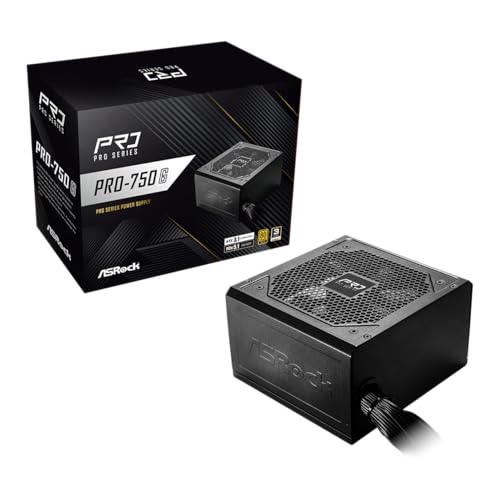
- Cheapest sensible 850W: MSI MAG A850GL or Cooler Master MWE Gold 850 V3 (both fully modular), or the ASRock PRO 850G (non-modular, shorter warranty) and Rosewill VMG 850W as the lowest-cost suggestions.
For most gaming and general desktop builds, the best PC power supply under $150 is an 850W, 80 PLUS Gold, ATX 3.1 unit with a native 12V-2×6 cable, such as the Corsair RM850x or Seasonic Focus GX-850, while a 750W unit such as the be quiet! Pure Power 13 M 750W, Corsair RM750e or MSI MAG A750GL is enough for builds with a mid-range graphics card and usually costs less. Small cases need an SFX unit such as the Corsair SF850, and truly tight budgets can look at the MSI MAG A850GL or Cooler Master MWE Gold 850 V3.
Our top picks



As an Amazon Associate we earn from qualifying purchases at no extra cost to you.
Quick answer by buyer type
- Modern high-end graphics card, long-term use: 850W ATX 3.1 Gold with a native 12V-2×6 connector (Seasonic Focus GX-850, Corsair RM850x).
- Quiet mid-range build: be quiet! Pure Power 13 M 750W, a semi-passive fan design that the maker rates for low noise.
- Best value 750W: Corsair RM750e or MSI MAG A750GL, both ATX 3.1 with a native 12V-2×6 cable per the makers.
- Small form factor case: Corsair SF850 (2024), an SFX unit the maker lists as 80 PLUS Platinum and fully modular, with an SFX-to-ATX bracket included.
- Cheapest sensible 850W: MSI MAG A850GL or Cooler Master MWE Gold 850 V3 (both fully modular), or the ASRock PRO 850G (non-modular, shorter warranty) and Rosewill VMG 850W as the lowest-cost suggestions.
At a glance
| Model | Wattage | Best for | Stated details | Limits |
|---|---|---|---|---|
| Corsair RM850x (ATX 3.1) | 850W | Best all-round 850W | Fully modular, ATX 3.1, PCIe 5.1, native 12V-2×6 cable, Cybenetics Gold, ten-year warranty per the maker (the 2025 RM850x SHIFT is a separate, similarly named model) | Can sit near the $150 cap in some listings |
| Seasonic Focus GX-850 | 850W | Native 12V-2×6 and strong build reputation | Fully modular, 80 PLUS Gold, ATX 3.1, 12V-2×6 cable included, ten-year warranty per the maker; a newer v5 revision also exists | Often priced near the cap |
| be quiet! Pure Power 13 M | 750W reviewed here (other wattages exist) | Quiet operation | Fully modular, ATX 3.1, PCIe 5.1, 80 PLUS Gold, semi-passive 120mm fan, single 12V rail, 12V-2×6 connector rated 600W, ten-year warranty per the maker | Warranty listings differ by region and seller; the maker ties it to purchase from an authorized distributor |
| Corsair RM750e | 750W | Value 750W | ATX 3.1, 12V-2×6 cable, 105C capacitors, 120mm fan with zero-RPM mode; Corsair lists seven years, though some retailer listings say five | Less headroom than 850W |
| Corsair RM750x | 750W | Quiet 750W with premium parts | Same RMx family as the RM850x, which carries a ten-year warranty per the maker; confirm the exact generation on the box | Usually costs more than the RM750e |
| MSI MAG A750GL / A850GL | 750W / 850W | Lowest-cost Gold options | ATX 3.1, PCIe 5.1, 80 PLUS Gold, fully modular, native 12V-2×6 cable, ten-year warranty per the maker (a third-party spec site says five) | Fewer premium touches |
| Cooler Master MWE Gold 850 V3 | 850W | Value 850W | Fully modular, ATX 3.1, 80 PLUS Gold, one 12V-2×6 connector, ten-year warranty per Cooler Master (the non-modular V3 series is listed at five years) | Basic feature set |
| Corsair SF850 (2024) | 850W | SFX small cases | 80 PLUS Platinum, fully modular, ATX 3.1, 12V-2×6 cable, seven-year warranty per the maker; SFX-to-ATX bracket included | Specialist form factor, may exceed the cap in some listings |
How much wattage do you actually need?
A power supply is rated for what it can deliver continuously, not what the computer draws all the time. The graphics card and processor are the two big loads. A mainstream processor with a mid-range graphics card typically fits comfortably in 650 to 750W, while a high-end graphics card with a power-hungry processor is more comfortable on 850W. One guide calls 850W the sensible modern default, and that reasoning holds: extra headroom keeps the fan quieter and leaves room for a future graphics card upgrade.
Do not read this as a rule to buy the largest unit. Excess capacity beyond what your parts can use adds cost without benefit. The best approach is to read the recommended power rating on your graphics card maker’s page, add some margin, and choose the nearest standard size.
What the labels mean
80 PLUS Gold
This is an efficiency certification. A Gold unit wastes less power as heat than a Bronze unit at the same load. For the cap in this guide, Gold is widely available and a reasonable minimum, though efficiency alone does not guarantee a unit is well built.
ATX 3.1 and 12V-2×6
ATX 3.1 is the current power supply standard. Units with native 12V-2×6 connectors let you plug a compatible graphics card directly without an adapter. The be quiet! Pure Power 13 M datasheet lists PCIe 5.1 compatibility and, for the 750W model, a native 12V-2×6 connector supporting up to 600W plus four 6+2-pin PCIe connectors. Seat this connector fully, keep cable bends gentle near the plug, and follow your graphics card maker’s guidance, because a partly inserted high-power connector is a heat and fire risk.
Modular cables
Fully modular units let you attach only the cables you use, which improves airflow and tidiness. Semi-modular and non-modular units cost less but leave unused cables in the case. Use only the cables supplied with your specific unit, since pinouts can differ between models, even from the same brand.
Warranty differences you should know about
Listings differ. The maker’s datasheet for the be quiet! Pure Power 13 M states a ten-year warranty for buyers who purchased from an authorized distributor, but several retailer pages show other terms, which probably reflect regional or seller terms. For any unit, confirm the warranty that applies in your region and from your seller before relying on it. The Corsair RM850x carries ten years per the maker, while the Corsair RM750e and SF850 are listed at seven years (a few retailers show five for the RM750e). The MSI and Cooler Master fully modular units list ten years, and the ASRock PRO 850G lists three.
Fit and compatibility notes
- Form factor: Most listed units are standard ATX. The SF850 is SFX, meant for small cases and may need an adapter bracket in a standard case.
- Case clearance: Check the maximum power supply length in the case manual. As one example, a popular airflow case lists support for ATX power supplies up to 220mm. Fully modular units are often shorter than older non-modular designs, and cable connectors add clearance requirements behind the unit.
- GPU connectors: Count the 8-pin or 12V-2×6 connectors your graphics card needs and confirm the supply provides them natively, rather than relying on an adapter when possible.
- Fan orientation: Mount the unit so its fan draws from a ventilated area, usually the bottom of the case, if the case has a filter there.
Budget tiers
Budget
The MSI MAG A750GL and A850GL, Cooler Master MWE Gold 850 V3, ASRock PRO 850G and Rosewill VMG 850W are the low-cost suggestions in the roundups. Note that the ASRock is non-modular with a three-year warranty and the Rosewill is a lesser-known brand, so the MSI and Cooler Master units are the safer picks when warranty length matters. They suit builds with moderate graphics cards where the goal is a sound, certified unit at the lowest sensible cost.
Mid-range
The Corsair RM750e, be quiet! Pure Power 13 M 750W, and the Seasonic Focus GX-750 fall here. They add modular cabling, quiet fans and stronger warranty reputations.
Top of the cap
The Corsair RM850x and Seasonic Focus GX-850 sit close to the cap and add native 12V-2×6 connectors, strong component choices and long warranty terms. If you plan to keep the supply through several graphics card generations, this tier is the most defensible use of the full budget.
Pick X if
| Pick this | If you |
|---|---|
| Corsair RM850x | want a well-regarded 850W with a long warranty, and the cap allows it |
| Seasonic Focus GX-850 | need a native 12V-2×6 cable for a current graphics card |
| be quiet! Pure Power 13 M | care most about low noise and want ATX 3.1 compliance |
| Corsair RM750e or MSI MAG A750GL | use a mid-range graphics card and want the lowest-cost Gold unit |
| Corsair SF850 | are building in a small-form-factor case |
| Cooler Master MWE Gold 850 V3 or MSI MAG A850GL | want 850W capacity at a budget tier |
Alternatives to consider
- A 1000W unit: only necessary for very high-power graphics cards or multi-card configurations, and many 1000W models exceed this cap.
- A higher-efficiency Platinum or Titanium unit: mostly a long-term running-cost and noise improvement, not a requirement.
- An older unit you already own: only appropriate if it is in good condition, supports the connectors you need, and is inside its working life.
Safety notes
Never open a power supply, because the capacitors can retain a dangerous charge after unplugging. Do not mix cables from different units or models. Plug the supply into a wall outlet or a quality surge protector instead of a daisy-chain of extension cords, and switch off and unplug before working inside the case. A burning smell, unusual buzzing or repeated shutdowns are reasons to stop using the unit and use the warranty. If you are unsure about wiring or house power, consult a qualified electrician for the outlet and the maker’s support for the unit.
Frequently Asked Questions
Is 750W enough for a gaming PC?
For many mid-range graphics cards with a mainstream processor, yes. Read your graphics card maker’s recommended power rating and add a little margin. If you may upgrade to a larger card later, 850W gives more room.
Do I need an ATX 3.1 power supply?
It is not strictly required for older graphics cards, but it is the current standard and gives you native 12V-2×6 support for newer cards. It is sensible to buy it now, since the units listed here all meet it.
Is a semi-passive fan good or bad?
A semi-passive fan stays off at low loads and spins up when the unit needs it, which suits quiet builds. Some people prefer the fan to always run, so it is a matter of preference, not safety.
How long should a power supply last?
The warranty gives a rough guide, and ten years is common for the units listed here, though terms differ by region. Even with a long warranty, replace a unit that shows signs of failure.
Can I reuse cables from my old power supply?
No. Modular cables are specific to a unit or product line, and the pinouts can differ. Use only the cables supplied with your current unit.
Does higher efficiency save me meaningful money?
It saves a little electricity and reduces heat, but the difference between Gold and Platinum is modest for typical home use. Build quality, warranty and the connectors you need matter more.