Key takeaways
- Yes, every Logitech Harmony remote has a battery, but the type differs by model: AA cells in the 650 and 700, a built-in rechargeable pack in the Elite and Ultimate, and a CR2032 coin cell in the Companion.
Affiliate Disclosure: This article contains affiliate links. If you buy through links on this page, we may earn a commission at no extra cost to you. As an Amazon Associate we earn from qualifying purchases.
The short answer: yes, but the battery is not the same in every Harmony
Yes. Every Logitech Harmony remote control has a battery in it. There is no Harmony handheld that runs only from a cable or only from its hub. What changes from model to model is the kind of battery, whether you can replace it yourself, and how it is recharged or swapped when it runs down.
That distinction matters more than the simple yes suggests. If you pick up a Harmony 650 that has gone dark, the fix is a pair of fresh AA cells from a drawer. If you pick up a Harmony Elite that has gone dark, the fix is to set it back on its charging cradle, because its rechargeable lithium-ion pack is built into the handset. If you pick up a Harmony Companion that has stopped responding, the fix is a single CR2032 coin cell, the flat round cell used in watches and key fobs. Treating one model like another leads to wasted effort: owners have pried at sealed remotes looking for an AA compartment that does not exist, and others have left a coin-cell remote sitting on a shelf waiting for a charge it can never take.
Logitech organised the Harmony range around three broad battery approaches. The first is replaceable AA batteries, used in the long-running numbered models. The second is a built-in rechargeable lithium-ion battery, used in the touchscreen flagships. The third is a single CR2032 coin cell, used in the slim hub-based remotes that have no screen to power. The sections below go through each group using Logitech’s own support documentation on Harmony remote batteries, so you can identify exactly what is inside the remote in your hand.
One reassuring point applies to every group. According to Logitech’s support guidance, a Harmony remote retains its device and Activity information when you replace its batteries. Your setup lives in your Harmony account and in the remote’s stored configuration, not in volatile memory kept alive by the cells, so a battery change does not mean setting the remote up again from scratch.
The AA models: Harmony 200, 300, 350, 600, 650, 665 and 700
The most common Harmony remotes in circulation are the ones powered by two AA batteries. Logitech’s support page groups the Harmony 200, 300, 350, 600, 650 and 700 together and states plainly that these remotes use two AA batteries. The 665, the later refresh of the 650 sold through some retailers, follows the same arrangement as the rest of this family.
On these models the battery compartment is on the back of the handset. You slide off the cover, and on the 600, 650 and 700 there is a fabric or plastic pull tab underneath the cells that helps lift them out. Logitech’s instructions are to place that tab below the new batteries when you fit them, so the next change is just as easy, to replace the batteries in pairs, and to make sure both cells are of the same type. Mixing an old cell with a new one, or two different chemistries, gives you the weaker cell’s performance and a remote that fades sooner than it should.
Within this family, the Harmony 700 is the interesting exception in how the cells are treated. The 700 shipped with rechargeable AA batteries and could recharge them inside the remote by plugging the remote in, which made it a bridge between the plain AA models and the fully rechargeable flagships. The 650, by contrast, has no charging circuit for its cells at all. Many 650 owners use rechargeable AA cells of their own and charge them in a separate charger, which works well, but the remote itself will not charge them when plugged in. The plug on a 650 is for setup and configuration, not for topping up batteries.
How long should a set of AA cells last in one of these remotes? Logitech is careful to say that battery life varies with use, and that is honest rather than evasive. A Harmony replaces several original remotes and is usually the most-used remote in the room, often with a backlit screen and buttons, so it works its batteries harder than a basic single-device remote does. Heavy daily use of the screen and backlight shortens the interval between changes noticeably. The practical signs of tired cells are familiar: the screen dims or reboots when you press a button, the remote restarts after being dropped or set down firmly, and commands need a second press. Logitech notes that a remote rebooting when a button is pressed is a reason to try fresh batteries. Swap both cells at that point rather than testing them one at a time.
The built-in rechargeable models: Elite, 950, Ultimate, Touch and One
The touchscreen end of the range answers the battery question differently. These remotes still have a battery in them, but it is a rechargeable lithium-ion pack fitted inside the handset, and in some models it is not meant to be removed at all.
Logitech’s support documentation divides this group in two, and the division is important. For the Harmony Pro, Elite and 950, Logitech states that the remotes use one rechargeable lithium-ion battery, and that a replacement can be obtained through the Logitech spare parts store. On those models the pack is accessible if you follow Logitech’s procedure, which involves opening the USB port cover and removing two screws with a small Phillips screwdriver. It is a deliberate, tool-based job rather than a slide-off cover, so it should only be done when the pack genuinely needs replacing, and only with the correct replacement part for that remote.
For the Harmony Touch, Ultimate, Ultimate One and Ultimate Home, Logitech’s wording is stricter: the battery is rechargeable and cannot be replaced. Removing it can damage the remote. The same applies to the Harmony Express, whose battery Logitech also describes as rechargeable and not replaceable. If one of those remotes no longer holds a charge, the answer is not to open it up and hunt for a cell. The answer is to check the charging contacts and cradle first, and to treat a truly dead sealed unit as a support or replacement question rather than a battery swap.
The older Harmony One sits in the first camp. Logitech describes it as using one rechargeable lithium-ion battery, accessed by flipping the remote over and pressing the battery release. Earlier still, models such as the Harmony 880 introduced the pattern this group follows: a rechargeable pack and a charging base that the remote lives on between uses.
Day to day, these remotes are charged by returning them to their cradle or by plugging them in, depending on the model, and that habit is the whole maintenance routine. An Elite that is always returned to its stand rarely surprises its owner. An Elite left on a sofa for weeks will eventually be found flat, and it then needs time on the charger before it behaves normally again. If a rechargeable Harmony seems dead, give it a proper charging session before concluding that the battery has failed. A pack that has been deeply discharged can take a while to wake up, and judging it after a few minutes on the cradle leads to a lot of false conclusions.
The coin-cell models: Harmony Companion and Smart Control
The third group is the one that surprises people most. The Harmony Smart Control remote and the Harmony Companion remote, the slim screenless handsets that work through a Harmony Hub, each use a single three-volt CR2032 lithium coin cell. Logitech states that under normal use that cell is expected to last about a year.
A coin cell makes sense for these remotes once you understand their job. They have no screen, no backlight worth mentioning, and no infrared emitter of their own doing heavy work. They send commands by radio to the hub, and the hub does the demanding part, firing infrared or network commands at your equipment. A remote that sips power in short radio bursts can run for a year on a cell the size of a coin, which is also why these handsets can be so much thinner than an Elite.
Changing the cell is tool-free. Logitech’s instructions are to slide the battery compartment open using two thumbs, push down on the cell to spring it loose, fit the new CR2032, and slide the cover back on. Fit the cell the right way up, with the marked positive side facing as the compartment indicates, and handle it by its edges. When a Companion starts missing commands or needs to be very close to the hub to work, a tired coin cell is the first thing to suspect, well before any fault with the hub or your setup.
The Harmony Smart Keyboard is a related accessory rather than a remote, but it is worth a mention here because owners often ask about it in the same breath: Logitech lists it as using two AA batteries, with an expected life of about a year under normal use. The Harmony Hub itself, by contrast, is mains-powered through its adapter. The hub has no battery to change. If the hub is off, check its power supply, not a cell.
How to tell which battery your Harmony has
If you are not sure which model you are holding, a few quick observations will place it. A remote with a slide-off cover on the back and room for two cylindrical cells is an AA model. A touchscreen remote that sits in a charging cradle and has no obvious battery cover is a built-in rechargeable model, and whether its pack can be replaced depends on whether it is an Elite, 950 or Pro, which allow a replacement part, or a Touch or Ultimate family remote, which does not. A very slim remote with no screen that came with a hub is almost certainly a CR2032 model, and its compartment slides open under your thumbs.
The model name is also printed on the remote itself, usually on the back or inside the battery compartment, and Logitech’s support site organises its battery instructions by model, so checking the exact name against that page is the safest route before you order any replacement cell or pack. Do not guess based on appearance alone if you are buying a spare rechargeable pack, because the packs are model-specific and a near fit is not a fit.
Safety: swollen packs, leaking cells and old batteries
Battery safety for a remote control is mostly quiet common sense, but there are three situations worth taking seriously, and they map onto the three battery types above.
The first is a swollen built-in lithium-ion pack. If a rechargeable Harmony develops a bulging back, a case that no longer sits flat, buttons or a screen that feel pushed out of place, or a remote that rocks on a table when it used to lie flat, stop using it and stop charging it. A swollen lithium-ion cell is a damaged cell. Do not press on it, puncture it, or try to flatten it, and do not leave it on a charger to see if it recovers. Keep it somewhere cool and away from flammable material and follow your local rules for disposing of damaged lithium batteries, which usually means a household hazardous waste or battery recycling point rather than ordinary household rubbish.
The second is leaking AA cells. Alkaline cells left in a little-used remote for years can leak a white, crusty residue that corrodes the contacts. If you open a compartment and find that residue, avoid touching it with bare skin, wipe the compartment carefully, clean light corrosion from the contacts gently, and wash your hands afterwards. A remote that works intermittently after a leak often has damaged contacts rather than a deeper fault. This is also the argument for not leaving ordinary alkaline cells in a spare remote stored in a drawer: take them out for long storage, or check the remote occasionally.
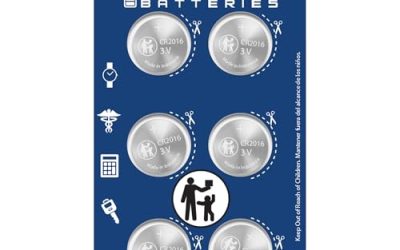
The third is the coin cell, and this one is about other people rather than the remote. A CR2032 is small, shiny and exactly the size a small child may try to swallow, and swallowed button cells are a genuine medical emergency. Fit the compartment cover properly after every change, keep spare and used coin cells out of children’s reach, and tape over or promptly recycle spent cells rather than leaving them loose on a coffee table. Used cells still carry enough charge to be harmful if swallowed.
For disposal generally, spent AA cells, coin cells and lithium-ion packs should go through battery recycling where your area provides it, rather than into general waste. Many electronics retailers and municipal collection points accept them. Never throw a lithium-ion pack, swollen or not, into a fire or a household bin compactor, and never try to open a sealed rechargeable remote just to see what is inside. On the models Logitech says are non-replaceable, that curiosity can destroy the remote and damage the cell at the same time.
When a new battery does not fix the remote
Sometimes the battery was never the problem. If a Harmony has fresh cells or a full charge and still misbehaves, work through the simple causes first. On an AA model, check that both cells are seated firmly, that the contacts are clean and springy, and that the pull tab is not folded over a contact. On a cradle-charged model, clean the charging contacts on both the remote and the stand and confirm the remote is seated properly, since a remote resting slightly askew in its cradle can sit uncharged all night while looking parked. On a Companion or Smart Control, confirm the hub has power and that the problem is not simply range or a hub that needs restarting.
Also remember that these remotes depend on their stored configuration and, for hub models, on your network. A remote that sends commands the television no longer understands may need its setup reviewed in the Harmony software rather than another set of batteries. Logitech discontinued the Harmony line, but support documentation and the setup tools have remained available for existing owners, so a configuration problem is still worth investigating before you replace hardware.
Bottom line
So, does a Harmony remote control have a battery in it? Yes, always, but the useful answer is the model-specific one. The numbered classics such as the 650 and 665 take two replaceable AA batteries, with the 700 adding in-remote charging of its rechargeable AA cells. The Elite, 950 and Pro carry one rechargeable lithium-ion pack that can be replaced with the correct spare part, while the Touch, Ultimate family and Express have rechargeable packs that are not replaceable at all. The Companion and Smart Control remotes run for about a year on a single CR2032 coin cell, and the hub they talk to has no battery at all. Identify your model, match the battery type to it using Logitech’s documentation, handle swollen packs and coin cells with the care described above, and a flat Harmony is almost always a five-minute fix rather than a dead remote.
ASIN: N/A — this is an informational article about batteries built into or fitted to existing remotes, so there is no single product to list. Replacement AA cells, CR2032 coin cells and model-specific spare packs should be bought to match the exact model identified above.